Run your AC service shop
like a modern company.
A web admin + Android/iOS technician app that replaces WhatsApp, Excel, and paper service reports. Installed on your own server — your data stays yours.
Demo: [email protected] / coolops123
Dashboard
Hi, Admin
Jobs today
12
Completed
8
Pending stock
3
Revenue 30d
Rp 12.4jt
Today's schedule
Hotel Grand Candi
AC cleaning × 8 units
Before Photo ✓
After Photo ✓
20+
Technicians per company
100+
Jobs per day
< 15 min
Setup deploy
0
Subscription cost
Technician app
Here's how it looks in the field.
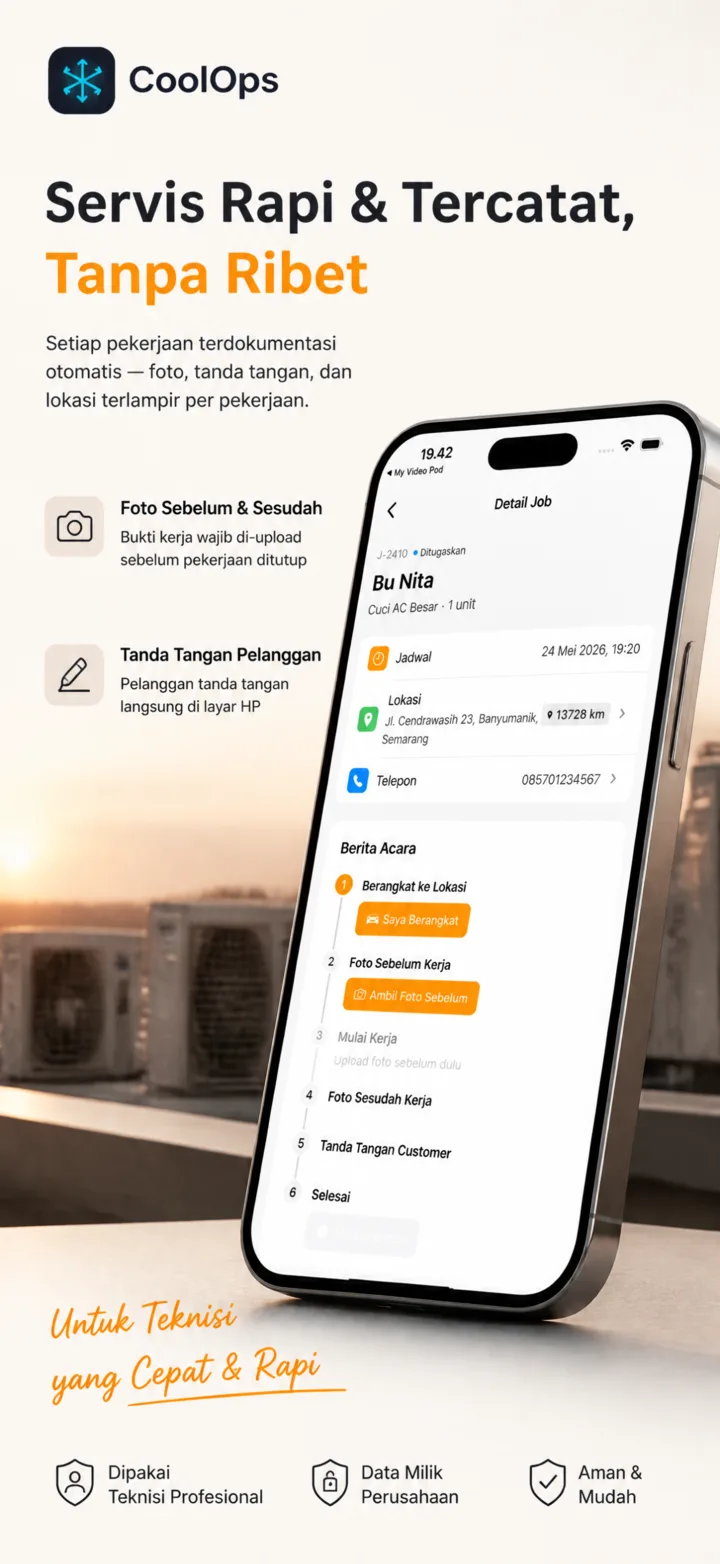
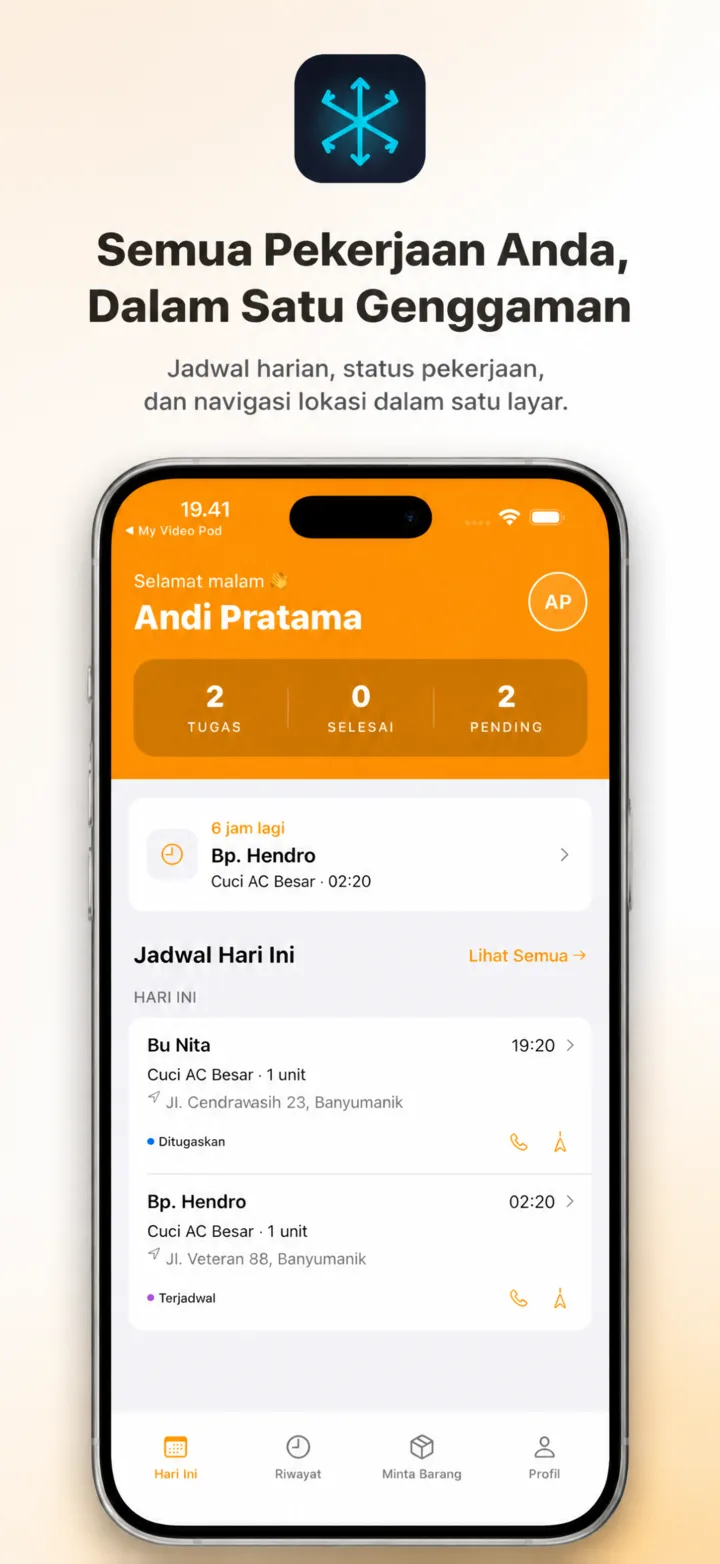
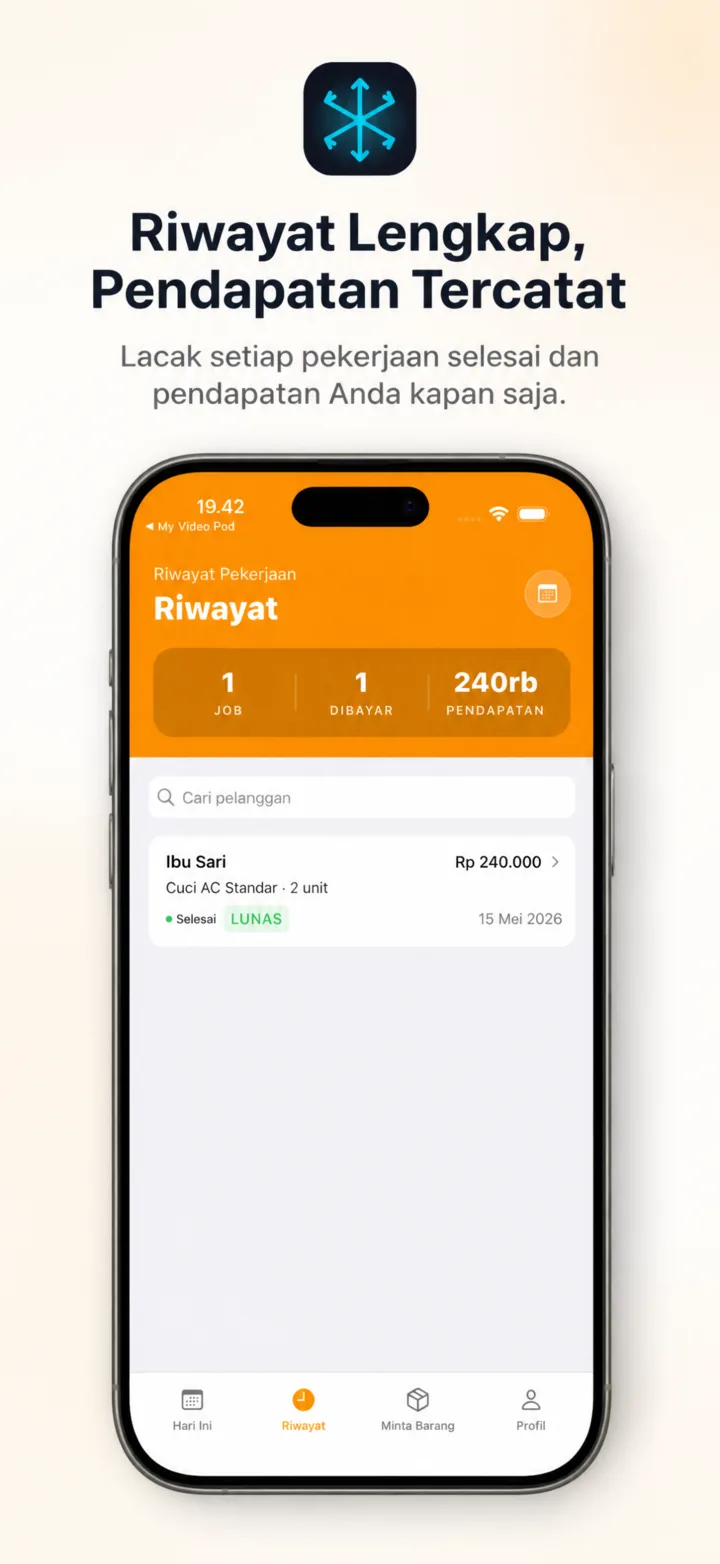
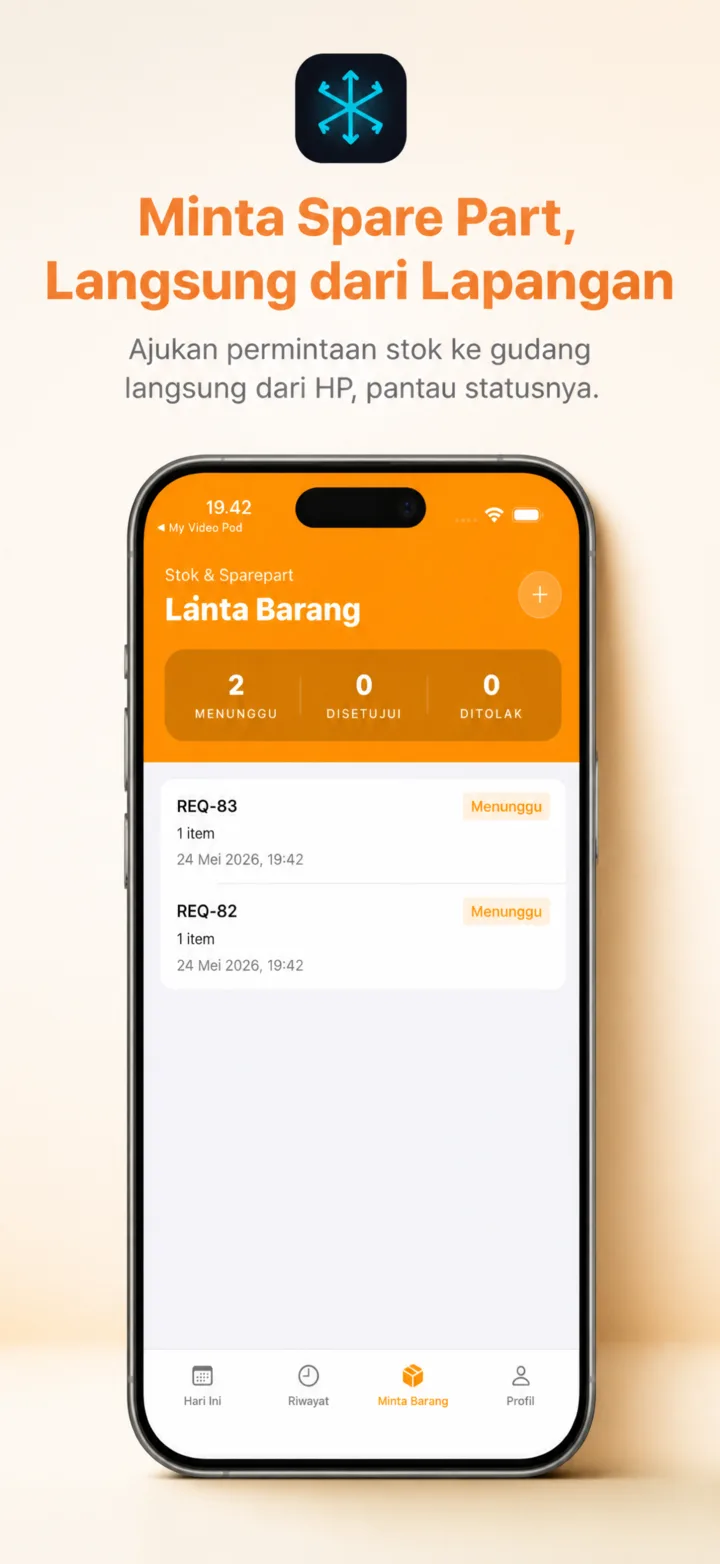
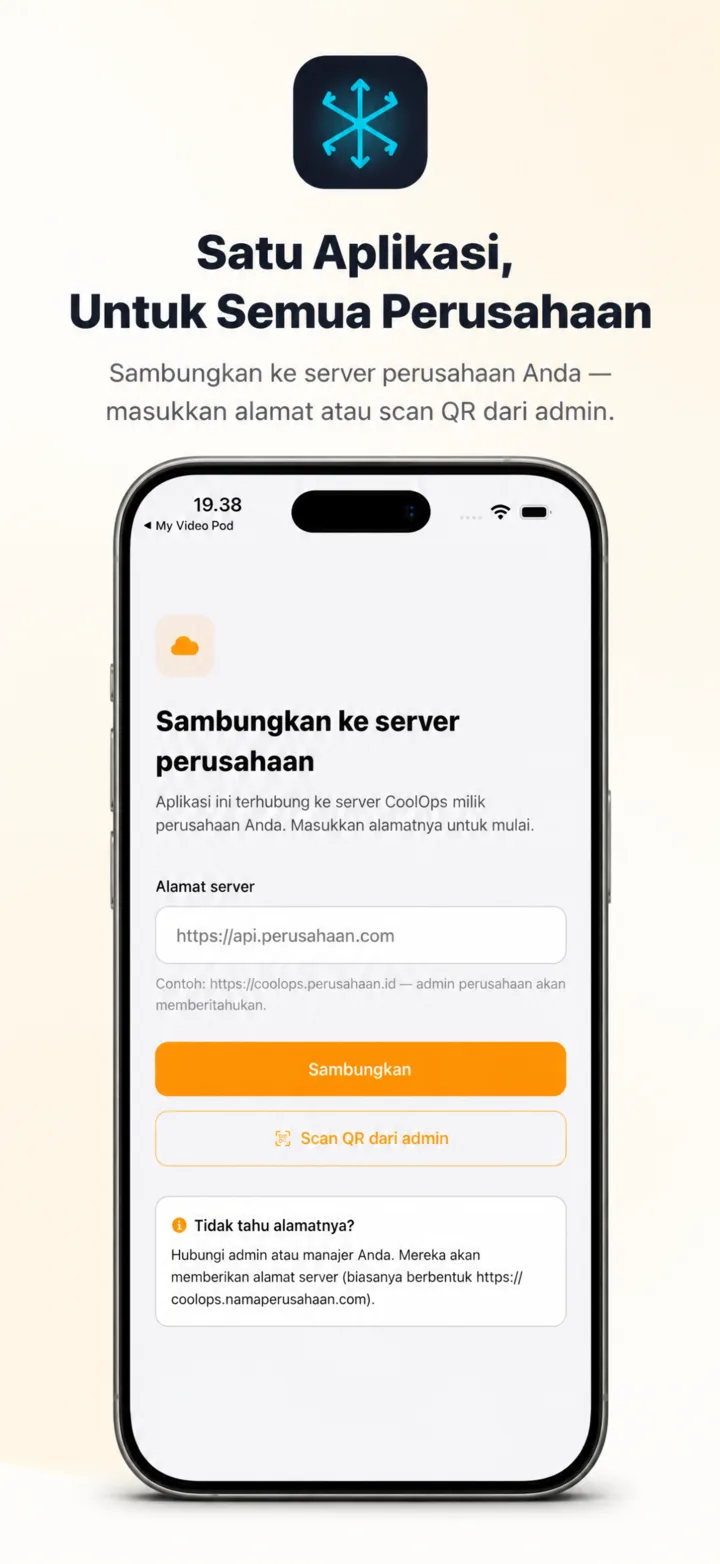
The app technicians use every day — every job is documented automatically, from departure to the customer's signature.
Still doing it the old way?
This is what's making your operational overhead balloon.
Technician scheduling in a WhatsApp group
Calendar dashboard with auto-assign
Service report photos scattered across technicians' galleries
Auto-uploaded to the company server, attached per job
Customer signature on paper, lost by next week
Digital signature on the technician's phone, saved instantly
Spare part stock found empty right when you need it
Real-time warehouse ↔ technician request flow
Monthly reports take 2 days to compile
Auto-updating revenue analytics + technician performance
Customer calls: "When was the last service again?"
Customer database + complete history per unit
What you get
One system, every role connected.
Admins see the dashboard, technicians use the mobile app, the warehouse approves stock requests — all synced in real time.
Web Admin Dashboard
Manage jobs, technicians, customers, and stock from one place. Role-based access (admin, manager, warehouse).
Technician App (Android + iOS)
Technicians receive jobs on their phone, GPS clock-in/out is automatic, service report photos upload instantly, customer signs on-screen.
Digital Service Reports
Before/after photos are required before a job can be completed. Customer signature is saved as a PNG.
Real-time Inventory
Stock moves automatically on every fulfillment. Request flow from technician → warehouse → approval. Critical stock alerts.
Customer Database
Complete history per customer, multi-location addresses, categories (residential, office, hotel, corporate).
Analytics & Reports
30-day revenue, technician performance, best-selling stock, job breakdown by status. Real-time, no Excel exports.
How it works
From purchase to operations in less than a day.
01
Buy a license
Contact us, pick a plan (based on technician count). Get a license key + access to the Docker image.
02
Deploy on your server
1 Docker Compose command on a cheap VPS (Rp 80k/month). Automatic: DB setup, first admin, branding.
03
Onboard technicians
Generate a QR in the Onboard App menu → technicians scan → instantly connected. No complicated install, no training.
04
Operations running
Admin creates jobs, technicians receive them on their phone, automatic documentation, automatic reports. Done.
Why self-hosted?
Not SaaS. Better than SaaS.
SaaS is great for beginners, but expensive long-term and your data lives on someone else's server. Self-hosted = full control, predictable cost.
Data is 100% owned by your company
Database, photos, signatures — all on your own server. No vendor lock-in, no foreign cloud.
Pay once, use forever
No monthly subscription. Permanent license + free minor updates. Compare that to SaaS at Rp 500k/user/month.
Your company's branding
Logo, colors, company name — all configurable. The mobile app + web feel like they belong to your company.
Offline-signed licenses
License verification uses Ed25519 on your own server — no internet needed, no call-home, no telemetry.
Pricing
Pay once. Use forever.
No monthly fees. No per-user fee. Free minor updates for the lifetime of the license.
Starter
≤ 5 technicians
Rp 4.5M
permanent license · self-setup
- Web admin + Mobile app
- Up to 5 technician users
- 1 year of free updates
- Email support (response ≤ 2 days)
Most popular
Professional
≤ 25 technicians
Rp 12M
permanent license · assisted setup
- Everything in Starter
- Up to 25 technician users
- Custom branding (logo, name, colors)
- Deploy setup + admin training (remote)
- Updates + bug fixes for 2 years
- WhatsApp support
Enterprise
Unlimited
Custom
permanent license · negotiable
- Everything in Professional
- Unlimited technicians
- Custom feature development
- On-site setup + training
- SLA + dedicated support
- White-label mobile app
All plans include the Docker image, deploy documentation, and a migration guide. Hosting (VPS) not included — roughly Rp 80k–200k/month depending on scale.
FAQ
Frequently asked questions
How long does setup take?+
Less than 1 hour if your VPS is ready. We provide Docker Compose + step-by-step documentation. Professional + Enterprise plans get setup assistance from our team.
Is the mobile app available on the Play Store / App Store?+
Yes. Technicians download the app once, then scan a QR from the admin web to connect to your company's server. One app, many companies — each isolated.
What about updates / bug fixes?+
Minor updates + bug fixes are free during the license period (1 year Starter, 2 years Professional). Updates are done via 'docker compose pull' on your server. No vendor accesses your server.
Can features be customized to our needs?+
Yes, but it depends on scope. For the Enterprise plan, customization is included. For other plans, there's an additional fee depending on complexity.
What if I move servers / VPS?+
Just back up the database (1 pg_dump command), copy the uploads folder, and redeploy. No cloud lock-in because everything is on your own server.
Is our customer data safe?+
100%. The database + photos are stored on your own VPS. We as the vendor have no access to your data. Auth uses bcrypt + JWT, photos can be hosted on your own Cloudflare R2.
If the license expires, is the data lost?+
No. The app keeps running with a warning banner, but no features are disabled. Your data is safe. Renew the license to remove the banner and get new updates.
Can it be rebranded to our company name?+
Professional and up: name, logo, and primary color can be set from Settings → Branding. For total white-label (app name on the Play Store, custom icon), it's available on the Enterprise plan.
Ready to modernize your AC service operations?
A 15-minute chat with us. We'll help calculate the ROI based on your company's technician count & job volume.